Introduction
My father still insists on logging into net banking on his laptop, while I haven’t opened a bank’s website in years — everything happens on my phone. This generational split got me thinking about the real differences in the net banking vs mobile banking debate. Which one is actually better, safer, and more practical in 2026? Turns out, the answer isn’t as one-sided as you’d expect.
What’s the Real Difference Anyway?
Quick answer: Net banking is accessed through a bank’s website on a computer browser, while mobile banking uses a dedicated app on your smartphone. Both let you do similar transactions, but the experience and security layers differ quite a bit.
Security: Which One Is Actually Safer?
This is where opinions get heated. Net banking, done through a browser, is vulnerable to phishing sites that mimic real bank pages. I’ve personally seen a relative almost fall for a fake SBI login page that looked nearly identical to the real one.
Mobile banking apps, on the other hand, use device-level security — fingerprint locks, app-specific PINs, and they’re harder to spoof convincingly. That said, mobile apps aren’t bulletproof either; a stolen or hacked phone is its own risk.
- Net banking: vulnerable to phishing, keyloggers on shared/public computers
- Mobile banking: vulnerable if the phone itself is compromised or lost
- Both: require OTP verification for most transactions in India
Speed and Convenience for Daily Use
Quick answer: For quick, everyday transactions like UPI payments or checking balance, mobile banking wins on speed. For bulk transactions, downloading statements, or business banking, net banking on a bigger screen is often more efficient.
Honestly, I can’t imagine splitting a restaurant bill through net banking — the whole point of UPI and mobile apps is speed. But when I need to download six months of bank statements for a loan application, doing that on a laptop is just easier.
Where Net Banking Still Wins
Net banking has a few advantages that don’t get talked about enough:
- Easier to view and download detailed transaction history and statements
- Better for handling multiple accounts or business banking with bulk transfers
- Larger screen makes filling out forms (like fixed deposit applications) less fiddly
Business owners, especially those managing payroll or vendor payments, often still prefer net banking for this reason.
Where Mobile Banking Wins
Mobile banking has become the default for a reason:
- Instant UPI transfers, bill payments, and recharges
- Biometric login is faster than remembering complex passwords
- Push notifications for every transaction happen in real time
- You can literally do it standing in a grocery store queue
For most people under 40, this is simply how banking happens now.
Common Mistakes People Make With Both
I’ve noticed people using public Wi-Fi for net banking, which is genuinely risky. Also common — not logging out properly after net banking sessions on shared computers. On the mobile side, people often skip setting an app lock, assuming their phone’s screen lock is enough protection.
[link to related guide on UPI safety tips here]
Which Should You Actually Use?
Honestly? Use both, depending on the task. Mobile banking for daily transactions and quick checks. Net banking for anything involving paperwork, statements, or larger financial decisions where a bigger screen genuinely helps. There’s no rule saying you have to pick one exclusively. [link to related guide on choosing the best savings account here]
FAQ
Q1: Is mobile banking safer than net banking? Generally yes, because of biometric locks and app-level security, though both require you to stay alert against fraud attempts.
Q2: Can I use net banking and mobile banking with the same account? Yes, they’re just different access points to the same bank account — you’re not restricted to one.
Q3: Why does net banking sometimes feel slower than the app? Browser-based sessions often have more security checkpoints and page reloads, which naturally makes them feel slower than a streamlined app.
Q4: What should I do if I lose my phone with mobile banking installed? Immediately block the SIM, contact your bank to freeze mobile banking access, and change your net banking password as a precaution.
Q5: Is net banking becoming outdated? Not really — it’s just used differently now, mostly for detailed banking tasks rather than everyday transactions.
Conclusion
The net banking vs mobile banking question doesn’t really need a winner. They serve different purposes, and honestly the smartest approach is using each for what it does best. Just make sure you’re following basic safety habits on both — strong passwords, app locks, and never banking over public Wi-Fi. Go check right now whether your mobile banking app has biometric login enabled; if not, that’s a two-minute fix worth doing today.
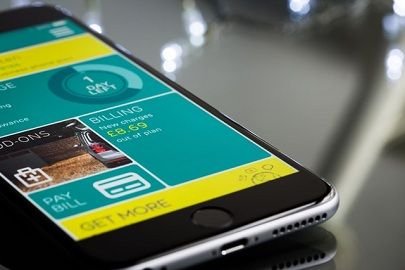
Suggested image alt text: “person comparing net banking website and mobile banking app on phone”