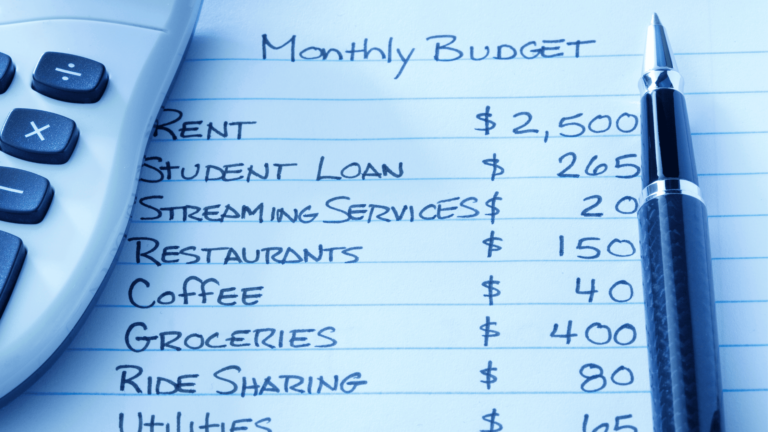
For years I tracked expenses in a physical notebook, mostly out of stubbornness. It worked, technically, but I’d forget entries constantly and give up by the second week of most months. Switching to an app changed that almost overnight — turns out automation solves a problem willpower never could.
If you’re hunting for the best budgeting apps 2026 offers, here’s an honest rundown, not a generic top-10 list copied from somewhere else.
Why App-Based Tracking Beats Manual Methods
Quick answer: Budgeting apps that auto-read SMS and UPI transaction alerts eliminate the manual entry step that causes most people to abandon expense tracking within a few weeks, making consistency far easier to maintain.
Manual tracking demands you remember every ₹40 chai and ₹150 auto ride. An app does it automatically in the background, whether you remember or not.
Money View — Good for Simplicity
Money View auto-categorizes transactions from SMS alerts and gives a clean monthly spending breakdown without much setup effort. It’s not the flashiest app around, but for someone who just wants a straightforward answer to “where did my money go this month,” it does the job reliably.
INDmoney — Best for the Full Financial Picture
If budgeting alone feels incomplete without seeing your investments too, INDmoney pulls together bank accounts, mutual funds, EPF, stocks, and even US equities into a single net-worth dashboard. I personally lean toward this one because it connects daily spending habits to the bigger long-term picture, rather than treating budgeting as an isolated activity.
[link to related guide on top fintech apps in India here]
Walnut and Similar SMS-Based Trackers
Several apps in this category work primarily by scanning transaction SMS alerts to auto-log spending, which works well in India given how heavily banks still rely on SMS notifications compared to push notifications alone. The downside is these apps sometimes miscategorize UPI transactions with vague merchant names, requiring occasional manual correction.
Excel or Google Sheets — Still Underrated
Not every solution needs to be an app. For people who genuinely enjoy control over categorization and formulas, a well-built Google Sheet with monthly tabs can outperform any app, especially for tracking irregular income or business expenses that apps handle clumsily.
- Works offline and syncs automatically via Google account
- Fully customizable categories, unlike rigid app presets
- No data privacy concerns tied to linking bank accounts
- Requires more manual discipline than automated apps
Comparing the Options by Use Case
Different situations genuinely call for different tools here:
- Simple daily tracking: Money View or similar SMS-based apps
- Full financial picture including investments: INDmoney
- Custom control and privacy-conscious users: Google Sheets or Excel
- Couples managing shared expenses: Apps with shared/family account features work best
What to Check Before Linking Your Bank Account
Quick answer: Before linking your bank account to any budgeting app, verify it uses read-only access (not storing login credentials), check its data privacy policy, and confirm it’s a reasonably established platform rather than an obscure new entrant.
This matters more than people realize. A budgeting app with weak security practices is a genuinely bad trade-off for the convenience it offers, especially given how much financial detail these apps can see once connected.
Features Worth Prioritizing
Not every feature matters equally. I’d prioritize automatic categorization first, since that’s what actually saves time day to day. Bill reminders come second — genuinely useful for avoiding late fees on credit cards or utilities. Fancy visualizations and charts look nice in app store screenshots but rarely change actual behavior, so don’t let that sway your decision too heavily.
My Honest Recommendation
For most people just starting out, I’d suggest Money View or INDmoney depending on whether you want pure budgeting or a broader financial dashboard. Give whichever one you pick a full 60 days before switching — app-hopping every few weeks defeats the purpose of building a consistent tracking habit.
FAQs
Are budgeting apps safe to link with my bank account? Reputable apps use secure, read-only bank API access and don’t store your login credentials, making them reasonably safe, though it’s worth reviewing each app’s specific privacy policy.
Do I need a paid subscription for a good budgeting app? Not necessarily — many apps like Money View and INDmoney offer solid free tiers, with premium features being optional rather than essential for basic tracking.
Can budgeting apps track cash expenses? Most rely on digital transaction data, so cash spending usually needs manual entry, which is one reason cash-heavy spenders sometimes prefer a hybrid app-plus-notebook approach.
Which app is best for tracking joint household expenses? Look for apps offering shared account or family budgeting features specifically — not all apps support this well, so it’s worth checking before committing to one.
How often should I review my budgeting app’s data? Weekly check-ins work well for most people — frequent enough to catch overspending early, without becoming an obsessive daily task.
Conclusion
Picking from the best budgeting apps 2026 has on offer really comes down to matching the tool to your actual habits, not chasing the app with the most features. Try one for two full months, see if it fits how you naturally think about money, and adjust from there. The best app is simply the one you’ll actually keep using.